Compare Two PDF Files for Changes
Add two versions of a document and see every text change, word by word, highlighted side by side on the pages.
Drop two PDFs anywhere on this page, or choose them one at a time.
Compare Two PDF Files for Changes, free and private
Compare two PDFs for changes and get a list of every word that was added, removed or reworded, with the page it sits on. Add the old and new version of a contract, report or manuscript. A changed figure or a deleted clause shows up in the report, so you don't have to read both files side by side.
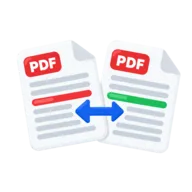
Both files open side by side with every change marked on the page: removed words in red on the original, new words in green on the revised file. Overlay and swipe views show changes to pictures and layout, and you can download the result as an HTML report. Both files are compared in your browser, so confidential drafts are never uploaded.
How to compare two PDFs
- 1
Add the original and the revised PDF
Choose a file for the Original slot and one for the Revised slot, or drop both versions anywhere on the page. A dropped file fills the empty slot. Press the swap button between the slots if they are the wrong way round.
- 2
Compare the files
Choose whether capitals and split words count, then press Compare files. The text of each file is rebuilt into lines in reading order, and the whole old text is compared with the whole new text, not page by page.
- 3
Review the changes
Both files open side by side and scroll together. Click a change in the list, or press J and K, to jump to it on both pages. Switch to Overlay or Swipe to compare pictures and layout by eye.
- 4
Download the report
Press Report to save pdf-comparison.html and open it in any browser, in light or dark mode. Each change is listed with its old and new page numbers.
Why use PDFToolz for this
Whole-document comparison
Both files are compared as one long text. If a page was added or removed, only that page shows as a change. Later pages are not pushed out of step.
Changed words, not whole lines
Inside each change, only the words that differ are marked, with two unchanged words on each side for context. A changed date in a long sentence is easy to spot.
No false alarms from reflow
Text that only wrapped onto a different line is not counted as a change, and extra spaces are ignored. Turn on Ignore capitals or Ignore split words to hide those differences too. You see edits, not layout noise.
Drafts stay on your device
Both PDFs are read and compared locally and nothing is sent anywhere. The tool is free, with no account, watermark or page limit.
What a PDF compare finds
The changes listed are text changes. The tool reads the words of both files in reading order and finds the words that exist in one version but not the other. Apart from spacing, words must match exactly, so one changed comma or digit counts as a change, and so does a capital letter unless Ignore capitals is on.
- Found: added, deleted and reworded text, changed numbers and dates, and added or removed pages of text.
- Moved text: shown as a removal in one place and an addition in the other.
- Not listed: changes to fonts, bold, colours or layout that leave the words the same, and changes to images, logos, signatures or drawings. Overlay and Swipe let you spot these by eye.
- Not found: text that exists only as a picture, as on scanned pages.
How to read the comparison
The change list has one entry per change. Words that change close together are grouped into one change. Each entry has a number, a label (Changed, Added or Removed), its pages and the old and new words: removed words struck out in red, added words in green. The same words are highlighted on the pages.
Side by side shows both files with the revised file following the original as you scroll. Overlay lays the original over the revised page; in Difference mode everything that is the same turns black and changes stay bright. Swipe shows the original left of a divider you drag and the revised file right of it.
The downloaded report starts with both file names, their page counts and the number of changes, then lists every change the same way. If nothing differs, it says the text in both documents is the same.
Tips to compare two PDFs for changes cleanly
Results are cleanest when both versions come from the same program. Files made by different software can break words up differently, which can show as small false changes. If the two files are very different, the tool reports the differing part as one large change.
Scanned PDFs have no text to compare. If a file has no text at all, the tool stops and tells you to run OCR PDF on it first. If only some pages are scans, the report lists them. Files that open without a password but block copying or editing compare as normal. Files that ask for a password to open need Unlock PDF first.
Frequently asked questions
Add the old version as Original and the new version as Revised, then press Compare files. Both files open side by side with every added, removed and changed word highlighted. Press Report to download the list of changes with old and new page numbers.
The change list covers text. Changes to fonts, colours or images alone are not listed, but the Overlay and Swipe views show them on the page.
Only that page's text shows as added or removed. The whole text is compared, not page 1 against page 1, so later pages still line up.
Not directly, because scanned pages hold images, not text. Run both scans through OCR PDF to add a text layer, then compare the OCR versions.
No. The tool compares exactly two files at a time. To check several versions, compare them in pairs, such as version 1 with 2, then 2 with 3.
It is free, with no sign-up, watermark or limit. Both PDFs are read and compared on your device and are never uploaded.
Last reviewed . See how we build and test our tools, or report an error.