Flatten PDF
Turn filled form fields, and comments if you want, into fixed page content, so nothing can be edited.
 Select a PDF file
or drop it anywhere on this page, or paste
Opens in your browser. Nothing is uploaded.
Flatten PDF, free and private
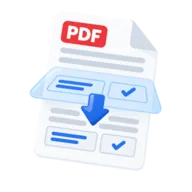
Flatten a PDF to turn its fillable form fields into fixed page content. Typed text, ticked boxes and chosen dropdown values stay visible, but the fields themselves are removed, so nobody can click in and change a name, date or amount.
You can also flatten comments, highlights, stamps and drawings, so they stay on the page but can no longer be moved, edited or deleted. The tool is free, runs in your browser with pdf-lib, and never uploads your PDF.
How to flatten a PDF
- 1
Add your PDF
Press Select PDF files or drop a PDF onto the page. The tool flattens one file at a time.
- 2
Choose what to flatten
The panel lists what the file holds. Form fields is on by default and locks form answers into the page. Turn on any kind of annotation the file has, such as notes, highlights, drawings or stamps, to draw it into the page too. Links stay as they are.
- 3
Press Flatten PDF
The result screen says how many form fields were flattened and how many annotations were drawn into the page. If there is nothing to flatten, the tool says so and makes no file.
- 4
Check and download
Press Preview and try to click a former field. Then press Download PDF. The new file ends in -flattened.pdf and your original stays as it was.
Why use PDFToolz for this
Filled forms stop being editable
An unflattened form can still be changed by anyone who opens it. After flattening, each answer is part of the page, so the form you send is the form they read.
Answers print in every viewer
Some viewers and printers skip form field values, which is why a filled form can print blank. Flattened answers are plain page content, so they show up everywhere.
Comments kept, but fixed
Turning on annotations draws review marks into the page as they look now. They stay visible and print, but can't be edited, moved or deleted. Links stay clickable.
Honest counts
If a field can't be flattened, it stays editable and the result says how many. Nothing is silently lost.
No upload
Filled forms often hold names, addresses and account numbers. Flattening happens in your browser, so none of that leaves your device.
The two ways to flatten a PDF
Form fields and each kind of annotation are separate switches.
- Form fields: text boxes, checkboxes, radio buttons and dropdowns are drawn into the page as they look now, then removed as fields. Annotations you leave off stay as they are, and can still be edited.
- Annotations: notes, highlights, stamps, shapes and drawings you turn on are drawn into the page. They stay visible but become part of the page. Links stay clickable.
- For annotations, only what is visible gets drawn. A sticky note becomes its icon, and the text inside its pop-up window is no longer readable. Comments with nothing visible to draw are removed, and the result says how many.
Checking the flattened file
Read the result line first. It says how many form fields were flattened out of the total, and how many annotations were drawn into the page. If some fields could not be flattened, the title reads PDF partly flattened and those fields stay editable.
Open Preview and try to type in a field. It should not accept input. Check that each answer looks right too. Answers that need a new look are drawn with Liberation Sans, which covers accents, Greek and Cyrillic, so they may look a little different from the original font.
What flattening does not do
Flattening removes interactivity, not information. Pages are not turned into images, so text stays selectable and searchable. Hidden text and metadata also stay in the file. To delete sensitive content for good, use Redact PDF. To clear the title, author and other properties, use PDF Metadata.
Flattening is not tamper-proofing. Anyone with a PDF editor can still change page content. If you are filling a form from scratch, Fill PDF Form can flatten your answers in the same step. To delete comments instead of keeping them, use Remove Annotations.
Frequently asked questions
Each form field's current answer is drawn into the page as normal content and the field is removed, so it can no longer be edited in a viewer. Comments, highlights and stamps can be drawn into the page too.
Add the file, choose what to flatten, press Flatten PDF and download the result. There is no sign-up and no file limit, and the file is processed on your device.
Yes. Left off, they stay as editable annotations. Turned on, they are drawn into the page, so they stay visible but can't be changed. Note text in pop-up windows can't be opened after flattening.
Yes. Links are never flattened, so they stay clickable.
No. The fields are gone and only their appearance remains. Keep your original if you may need to edit the form again.
Flatten after adding a drawn or image signature. A certificate-based digital signature is different. Flattening changes the file and breaks that kind of signature, so flatten first and sign last.
The PDF has none of the kinds you turned on; the panel shows what it does have. Text added with a basic PDF editor is often already page content. No file is made, because nothing would change.
Last reviewed . See how we build and test our tools, or report an error.